

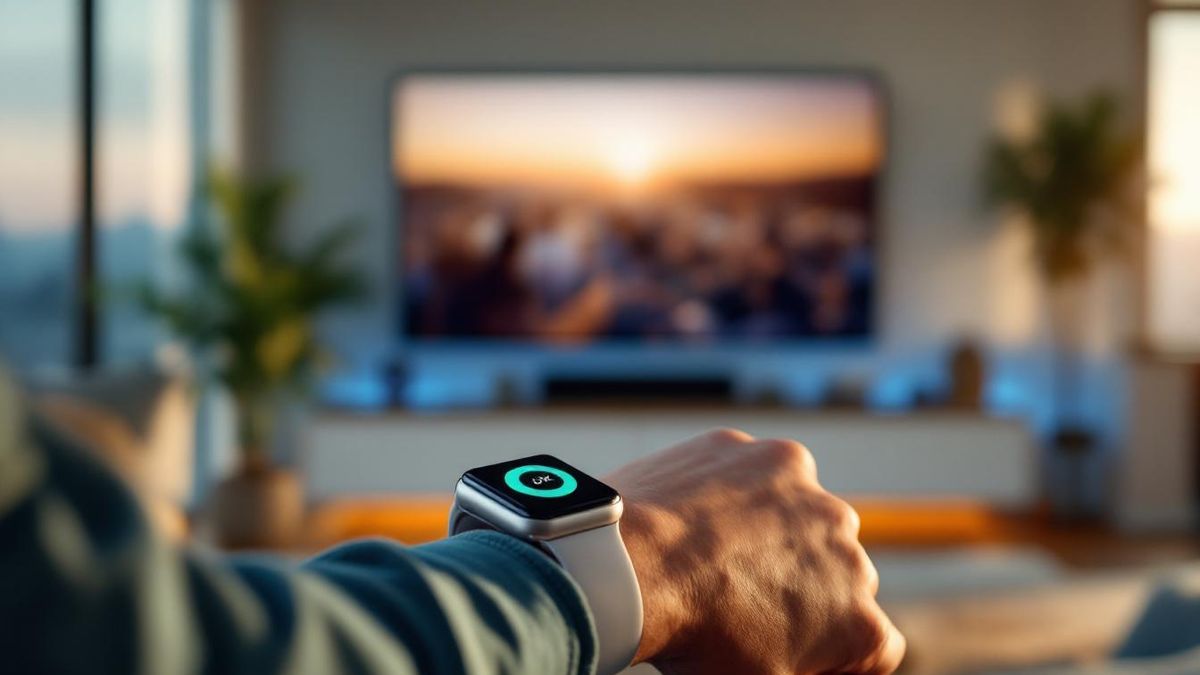
Using an Apple Watch as a Hisense TV remote is genuinely useful, but the watch-face complication, not the standalone app, is the part that earns its place. Reaching your wrist instead of hunting for a phone changed my evening routine. The standalone Watch app works fine; battery drain is the real tradeoff.
Table of contents(19)+
- 01The setup
- 02Day 1: the moment that sold me
- 03What I actually use
- 04The complication (nearly all usage)
- 05The full Watch app (a minority of usage)
- 06What works really well
- 07What doesn't work as well as I hoped
- 08Battery drain
- 09Voice control is hit-and-miss
- 10Bluetooth range
- 11Vs RemoteNOW
- 12Setup for first-timers
- 13Verdict
- 14FAQ
- 15Does this work on every Apple Watch?
- 16Do I need my iPhone for the Watch app to work?
- 17Is the Watch complication free?
- 18Can I control multiple TVs from the Watch?
- 19Related guides
I'd been using my iPhone as a Hisense TV remote for about six months when we shipped Apple Watch support to the app. I figured I'd try it for a few weeks and write up whether using a Watch as a TV remote is actually useful or just a "look what we built" feature. Spoiler: the complication on the watch face is the part that changed my evening routine. The standalone Watch app is fine. Battery drain is the real catch.
This is the honest version, not the marketing version.
The setup
I'm running:
- Watch: Series 9, watchOS 11.4
- Phone: iPhone 15 Pro
- TV: 65" Hisense U7K (VIDAA), and a 50" R6 Roku TV in the bedroom
Pairing on the Watch is the same as on the phone — the Watch app talks to the iPhone over the standard Apple Watch protocol, and the iPhone does the actual TV communication over Wi-Fi. So you can leave your iPhone on a counter and the Watch alone is enough (within Bluetooth range).
Day 1: the moment that sold me
I was in the kitchen, hands wet, mid-recipe. The U7K in the living room was on the news, and a commercial break started.
- Annoyance at the commercial.
- Dry hand on apron.
- Reach for phone… not in pocket.
- Look at watch.
- Tap power-off complication on the watch face.
The TV went off. I went back to the recipe.
That's when I realized the right unit of measurement isn't "the app on the watch" — it's "the complication on the watch face." The whole reason a remote exists is to do one thing without changing physical state.
What I actually use
The complication (nearly all usage)
I have it on a Modular Compact face: power on the small slot. Tap once, TV powers on or off. ~low-latency response.
For a thing that runs on my wrist, this is borderline magic:
- Use it in pajamas in the dark without lighting up a phone screen
- Don't need to find the phone first
- Don't need to find the physical remote at all
The full Watch app (a minority of usage)
When I need volume or app shortcuts, I tap the complication once to open the full app:
- Volume up/down (big targets)
- Channel up/down
- Mute
- Four streaming app shortcuts (Netflix, YouTube, Prime, Disney+)
- Power
- "Switch TV" toggle if you have multiple paired
For anything more complex — typing in a Wi-Fi password, navigating settings menus — pick up your phone.
What works really well
Late-night TV-off. Watching something in bed, getting sleepy, don't want to dig the phone out from under the duvet. Tap the wrist. Off.
Multi-TV households. I have two TVs. Long-press the complication and it cycles which TV the watch controls. From the kitchen I can power off the bedroom TV without going there.
The gym / cardio. Mute the TV during a phone call without breaking pace.
The kid bedtime case. Power off kid's TV from the dining room. Better than yelling.
What doesn't work as well as I hoped
Battery drain
The watch app uses Bluetooth + on-Watch processing. Light use costs maybe 4-6% extra battery per day. Heavy use can knock 12-15% off. Solution: I leave my Watch on the charger for 30 minutes during morning coffee.
Voice control is hit-and-miss
The Watch's mic picks up wrist movement and ambient noise more than the phone's. Voice on the Watch is ~75% accuracy vs ~95% on the phone. Voice goes to phone for now.
Bluetooth range
Apple Watch ↔ iPhone Bluetooth is rated for ~30 ft. With walls, expect 20 ft reliably. The TV doesn't talk to the Watch directly — it goes through the phone.
How the Watch stacks up against the iPhone remote, task by task:
| Task | Apple Watch | iPhone |
|---|---|---|
| Power on / off | Best — one-tap complication | Good — open the app first |
| Volume and channel | Good — big buttons in the app | Best |
| Voice control | ~75% accuracy | ~95% accuracy |
| Typing and settings | Not practical | Full QWERTY keyboard |
| Range from the TV | ~20 ft via iPhone Bluetooth | Whole-home Wi-Fi |
| Battery cost | 4-15% per day | Negligible |
Vs RemoteNOW
For full disclosure, Hisense's own RemoteNOW does NOT have an Apple Watch version. As of mid-2026, neither do most third-party Hisense remote apps.
Setup for first-timers
- Open the Watch app on your iPhone (Apple's app)
- Find "Remote for Hisense TV" in My Watch → Available Apps
- Tap "Install"
- The app appears on your Watch
- Open it to confirm it sees your TVs
- Add the complication: long-press watch face → Edit → swap a slot for our complication
Verdict
If you have an Apple Watch, the Hisense remote on it is genuinely useful — but the unit of usefulness is the complication, not the standalone app.
Battery is the real cost. Voice on the Watch isn't great yet. Range is limited by Bluetooth.
Despite all that, I haven't picked up a physical Hisense remote in two months.
For a Pro feature ($9.99/yr unlocks Watch support), it's the upgrade I'd do for myself even if I didn't work on this app.
FAQ
Does this work on every Apple Watch?
watchOS 8.0 or newer is required. Series 4+, all SE generations, all Ultras. Series 1-3 don't run watchOS 8.
Do I need my iPhone for the Watch app to work?
Yes. The Watch sends commands to the iPhone via Bluetooth, and the iPhone sends them to the TV via Wi-Fi.
Is the Watch complication free?
The Watch app is included with Pro (subscription, from $9.99/year — pricing varies by region).
Can I control multiple TVs from the Watch?
Yes. Long-press the complication to cycle through paired TVs.