

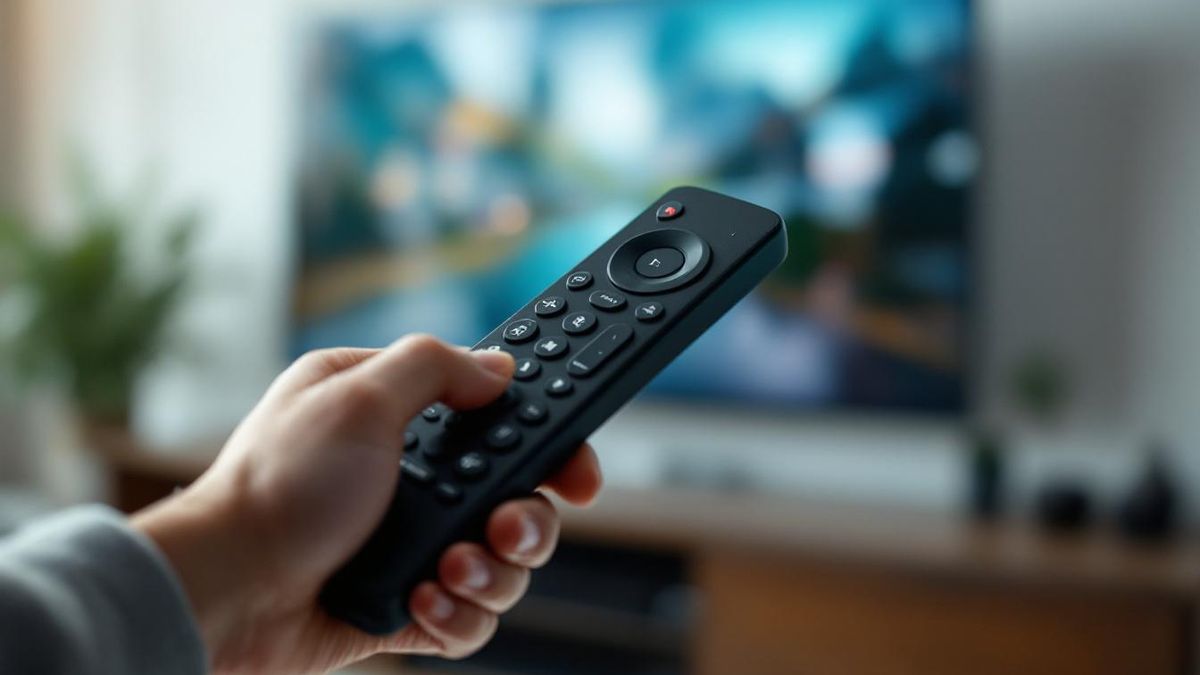
If your Hisense remote isn't working, run these quick fixes in order. Point your phone camera at the emitter and press a button, a faint flash means the IR still works. Then try fresh batteries, unplug the TV for 60 seconds, re-pair the remote, and clear the sensor. A free phone app fills in meanwhile.
Table of contents(27)+
- 01The 30-second test before you do anything else
- 02At a glance: symptom, cause, fix
- 03Hisense Roku TV remote not working — why this one is different
- 04Fix 1 — Replace the batteries (yes, really)
- 05Fix 2 — Hard reset the remote
- 06Fix 3 — Check the TV's IR sensor isn't blocked
- 07Fix 4 — Re-pair Bluetooth remotes
- 08Fix 5 — Power-cycle the TV (the unplug, not the standby)
- 09Fix 6 — Update the TV's firmware
- 10Fix 7 — Hard reset the TV
- 11When the remote is genuinely dead
- 12FAQ
- 13Why is my Hisense Roku TV remote not working?
- 14Why has my Hisense TV remote suddenly stopped working?
- 15How do I reset a Hisense TV remote?
- 16What does a flashing red light on my Hisense remote mean?
- 17Can I control a Hisense TV without the remote at all?
- 18UK note: Hisense TV remote not working in the UK
- 19Hisense Roku TV model-specific quirks (R6, R7, R8, A6, A4)
- 20Hisense R6 series (2019–2021) — IR remote randomly stops responding
- 21Hisense R7 / R8 series (2021–2023) — voice mic dies after 12–18 months
- 22Hisense A6 / A7 series (2023–2024) — pairing dance after firmware update
- 23Hisense A4 series (2023, 32" and 40" budget) — IR sensor placement issue
- 24Hisense Roku TV — pairing button is between the two AAA batteries
- 25Hisense Roku TV — Wi-Fi network gotcha (5GHz vs 2.4GHz)
- 26Still have the original Roku remote but want a backup?
- 27Related guides
Hisense remote not working? Run these in order — six of the seven take under a minute:
- Camera test: point your phone camera at the remote and press a button. A faint flash on screen means the IR is alive; no flash means the remote is dead (go to step 7).
- Fresh batteries: swap in a new pair with correct polarity — even "new" batteries are often dead on the shelf.
- Power-cycle the TV: unplug it at the wall for 60 seconds, then plug back in.
- Re-pair the remote: on VIDAA, Roku, or Google TV models hold the pairing/home button 3-5 seconds until the TV confirms.
- Clear the sensor: wipe the remote emitter and remove anything blocking the IR sensor on the TV’s front bezel.
- Use your phone as the remote: a free Wi-Fi remote app pairs in about 30 seconds so the TV works while you fix the physical one.
- Replace a dead remote: an OEM replacement runs $15-40, a universal remote $5-15.
If your Hisense TV remote isn't working, the cause is almost always one of seven things — and six of them you can fix in under a minute without buying anything. (If the TV itself won't power on at all, that's a different problem — see Hisense TV won't turn on.) The seventh is "the remote is genuinely dead," and even then, you don't have to sit through nothing-on-TV until a replacement ships.
All three remotes have stopped working at some point. Twice it took me 10 seconds to fix. Once it took a power cycle. The third time, a $25 universal remote replaced the dead unit. Here's the order I check things in, fastest first.
The 30-second test before you do anything else
Point your phone's camera at the front of the remote and press any button. If you see a small red or purple light flashing on your phone screen (you won't see it with your eyes — only the camera picks it up), the remote's IR transmitter is alive. The problem is at the TV, in the pairing, or in the network — not the remote.
If you don't see a light, the remote is dead or the batteries are dead. Skip to fix #1.
Note: this test only works for IR remotes. Some Hisense remotes — like the U7K voice remote and most Roku enhanced remotes — use Bluetooth, not IR, and won't show anything in the camera. For those, see fix #4 (re-pair).
At a glance: symptom, cause, fix
| Symptom | Probable cause | Solution |
|---|---|---|
| No light on the phone-camera test | Remote or batteries dead | Fit two fresh AAA (both new, same brand); if still no light, replace the remote ($15-40 OEM, $5-15 universal) |
| Camera shows the IR light but the TV ignores the remote | IR sensor on the TV is blocked (soundbar, film, direct sunlight) | Clear whatever sits in front of the TV's IR sensor |
| Voice-mic remote stopped, often after a firmware update | Bluetooth pairing went unstable | Re-pair: hold Home + Back for 5 seconds on VIDAA |
| Roku remote LED blinks but the TV doesn't respond | Wi-Fi remote lost its pairing | Hold the pairing button inside the battery compartment for 5 seconds |
| Remote unresponsive coming out of standby | Firmware needs a clean boot | Unplug the TV, hold the power button 30 seconds, wait 30 seconds, plug back in |
| Roku mobile app can't reach the TV | Phone and TV on different Wi-Fi bands (5GHz vs 2.4GHz) | Disable band steering and put both on the same band |
Hisense Roku TV remote not working — why this one is different
Hisense Roku TVs use a different pairing model than VIDAA, Google TV, or Fire TV. The remote talks to the TV over Wi-Fi (Roku enhanced remote) or IR (standard remote), so a remote that "stops working" can mean one of three Roku-specific things — not battery-related:
- Wi-Fi remote lost its pairing. Press the pairing button inside the battery compartment for 5 seconds while pointing at the TV. The TV should beep and the remote LED flashes.
- TV's Network access for mobile apps got disabled. Settings → System → Advanced system settings → Control by mobile apps → Network access → set to "Default" or "Permissive." Roku ships this disabled by default on managed TVs.
- Fast TV Start is off. Settings → System → Power → Fast TV Start → On. Without this, the TV can't wake from standby via the Wi-Fi remote — only via IR.
If none of those work, the Roku remote is dead and you need a replacement (or use the iPhone app as a permanent backup that doesn't pair, doesn't run out of batteries, and survives any Roku firmware update).
Fix 1 — Replace the batteries (yes, really)
This sounds patronizing, and it's the #1 cause anyway. Two notes most people miss:
- Don't re-use one fresh battery and one old one. Hisense remotes draw enough current that one weak cell drags down the working one within a week. Both new, same brand, same date.
- Check the contacts. If you see green or white powder, that's leaked alkaline. Wipe with a cotton bud and a little white vinegar, let it dry, then put fresh batteries in.
- AAA, not AA. Most Hisense remotes take AAA. The voice-mic ones take a single CR2032 button cell — easy to forget, easy to grab the wrong one.
If the camera test now shows the IR light, you're done.
Fix 2 — Hard reset the remote
If the batteries are good but the remote still doesn't respond, try this:
- Take the batteries out.
- Press and hold the Power button for 15 seconds. (This drains the leftover charge in the remote's capacitors.)
- Put fresh batteries back in.
- Try the remote.
For Roku TV remotes specifically, hold the Home button for 5 seconds while the batteries are out — that does the same job and resets the pairing memory. Sometimes that alone fixes it.
Fix 3 — Check the TV's IR sensor isn't blocked
Hisense's IR sensor is usually a small dark window in the center bottom of the bezel (VIDAA U-series), or just under the Hisense logo (older models). On Roku TVs it's the small recessed dot to the right of the Roku logo.
Things that block it:
- A new soundbar in front of the TV
- A cat
- A "screen protector" film someone installed
- Sunlight from a south-facing window at certain times of day (sounds bizarre, happened to me — direct sunlight can saturate the IR sensor and make it ignore the remote)
If you've moved furniture around or just installed a soundbar, that's almost certainly your problem.
Fix 4 — Re-pair Bluetooth remotes
If you have a voice-mic remote (most U7K, U8K, U8N, U9K, U7N, U7H, U8H units), it's Bluetooth. Bluetooth pairings get unstable, especially after a TV firmware update.
On VIDAA TVs: Hold Home + Back on the remote for 5 seconds. The remote LED should blink rapidly. The TV should show a "Pairing" prompt — confirm. Done.
On Hisense Roku TVs: Open Settings → Remotes & devices → Set up a new device → Voice Remote. Hold the pairing button on the remote (small button in the battery compartment) for 5 seconds.
On Hisense Google TV: Settings → Remotes & accessories → Pair remote. Hold Home + Back for 5 seconds.
This fixes a fair share of cases for me — particularly after a firmware update or a power outage.
Fix 5 — Power-cycle the TV (the unplug, not the standby)
Standby isn't off. To genuinely reset a Hisense TV's remote service:
- Unplug the TV from the wall.
- Hold the TV's physical power button for 30 seconds.
- Wait another 30 seconds.
- Plug back in.
That 30-second hold drains the residual charge in the power board and forces the firmware to do a clean boot. After this, the remote often starts responding immediately.
Fix 6 — Update the TV's firmware
Hisense pushes firmware updates that have, in the past, broken remote responsiveness — and then later updates have fixed them. To update: VIDAA: Settings → System → Software Update. Roku TV: Settings → System → System update → Check now. Google TV: Settings → System → About → System update.
If your remote is so dead you can't even reach the menu, you can run the update through the phone remote app (free, pairs over Wi-Fi).
Fix 7 — Hard reset the TV
Last resort before assuming the remote is dead. This wipes all your settings — only do this if 1–6 didn't help.
- VIDAA: Settings → System → Reset → Factory data reset
- Roku TV: Settings → System → Advanced system settings → Factory reset
- Google TV: Settings → System → About → Reset
When the remote is genuinely dead
If you've done 1 through 7 and the remote still doesn't respond, your options:
Replace it. Original Hisense remotes are $15-40 on Amazon, search by your model number on the back of the TV. Universal remotes are $5-15 — see our full list of Hisense universal remote codes. Not sure which to get? Compare your Hisense smart TV remote replacement options.
Use your phone instead. The Hisense phone remote app does everything the original remote does plus a few extras (a real keyboard for typing in passwords, a touchpad). It's free, takes 30 seconds to pair, and runs over your home Wi-Fi.
I never went back to a physical remote.
FAQ
Why is my Hisense Roku TV remote not working?
Most Hisense Roku TV remote failures are pairing or network-setting issues, not dead batteries. Press the pairing button inside the battery compartment for 5 seconds, or check Settings → System → Advanced → Control by mobile apps → Network access (set to Default or Permissive). See the Hisense Roku TV section above for the full fix list.
Why has my Hisense TV remote suddenly stopped working?
Most likely the remote needs to be re-paired (if it's Bluetooth) or the IR sensor on the TV is blocked. Run the phone-camera test in this article — if you see no light, even the IR transmitter is dead.
How do I reset a Hisense TV remote?
Take the batteries out, hold Power for 15 seconds, put fresh batteries back in. For Bluetooth remotes, also hold Home + Back for 5 seconds to clear the pairing.
What does a flashing red light on my Hisense remote mean?
Red light flashing usually means low batteries (replace them) or pairing in progress.
Can I control a Hisense TV without the remote at all?
Yes — using the TV's physical button, a USB keyboard, the phone remote app, or a universal remote.
UK note: Hisense TV remote not working in the UK
The fix order above is the same in the UK, but four region-specific things are worth knowing.
- UK consumer warranty is 6 years, not 1. Under the Consumer Rights Act 2015, you have up to 6 years to claim against the retailer for a faulty product (the remote is part of the TV bundle). If your Hisense TV is under 6 years old and the remote was DOA or stopped working without explanation, contact the retailer first (Currys, Argos, John Lewis, Amazon UK) — not Hisense. Hisense's standard manufacturer warranty is shorter (typically 2 years), but the retailer is legally on the hook longer.
- John Lewis bundles a 5-year guarantee on most Hisense TVs at no extra cost. If you bought there, raise it with John Lewis customer services before anything else — they'll usually arrange a free replacement remote.
- Hisense UK support is reachable on 0333 320 7141 (Mon–Fri 9–5) or via the form at hisense.co.uk/support. They're noticeably faster than Hisense USA — out-of-warranty remote replacements typically ship within 5–7 working days.
- VIDAA UK firmware quirk: VIDAA TVs sold in the UK ship with the BBC iPlayer, ITVX, All 4, and My5 apps pre-bundled, and a firmware update in early 2026 (version 5.4.x) introduced a bug where the remote stops responding for 10–15 seconds after switching between streaming apps. The fix is to update to firmware 5.4.7 or later: Settings → System → Software Update.
For a phone remote that works on every UK Hisense TV without the IR pairing dance, install our free Hisense remote app — pairs over your home Wi-Fi, no Hisense Connect account, no signup. Works with every UK-sold Hisense from 2018+.
Hisense Roku TV model-specific quirks (R6, R7, R8, A6, A4)
If you have a Hisense Roku TV and none of the 7 fixes above resolved the issue, your problem might be specific to your TV's model line. Hisense Roku TVs ship with slightly different remote pairing behaviors depending on the chassis generation. Here's the model-by-model quirk list I've gathered from r/Roku threads and Roku Community over the last 12 months — these aren't in Hisense's official troubleshooting guide.
Hisense R6 series (2019–2021) — IR remote randomly stops responding
The R6 family ships with the standard IR Roku remote (model RC58). The known issue: after the Roku OS 11.x update, the remote's Home button stops responding intermittently — every 3–4 presses, one is ignored, then it works again. Fix: hold the pairing button inside the battery compartment for 5 seconds with the TV powered on. If that doesn't restore the response, the remote itself needs replacement. The Roku Voice Remote (RC112) is fully backward-compatible with R6-series TVs and runs about $25 on Amazon — cheaper than the OEM Hisense replacement.
Hisense R7 / R8 series (2021–2023) — voice mic dies after 12–18 months
R7 and R8 series ship with the enhanced Roku voice remote (RC85 or RC112). The voice microphone tends to fail after roughly 12–18 months of regular use — physical microphone hardware degradation, not a software issue. Symptoms: the D-pad still works, channel/volume buttons work, app shortcuts work, but pressing the voice mic button does nothing. Workaround: use the Roku phone app's voice search (which uses your phone's microphone, not the remote's). Permanent fix: $25 replacement remote.
Hisense A6 / A7 series (2023–2024) — pairing dance after firmware update
A-series Roku TVs frequently lose remote pairing after a firmware update. The remote's LED blinks but the TV doesn't respond. The fix has a strict timing window: power off the TV via the physical button on the bottom-left rear, unplug from the wall for 60 seconds, plug back in, wait for full boot, then hold the pairing button inside the battery compartment for 5 seconds within 60 seconds of boot complete. The 60-second window is critical — outside of it, the TV refuses re-pair attempts until the next full boot cycle.
Hisense A4 series (2023, 32" and 40" budget) — IR sensor placement issue
The A4 budget line has its IR sensor placed unusually low on the bezel, almost at the bottom edge. If your TV sits on a stand with a sound bar mounted in front of it, the sound bar physically blocks the IR sensor — even though it doesn't look like it would from a normal viewing angle. The remote works perfectly when you point it slightly upward instead of straight ahead. Solution: raise the sound bar 1–2 inches with a stand or shelf, or rotate the sound bar 5–10 degrees so its front face doesn't fully cover the bottom bezel.
Hisense Roku TV — pairing button is between the two AAA batteries
If you can't find the pairing button on your Roku remote, it's not on the outside — it's recessed inside the battery compartment, between the two AAA cells. You'll need to remove both batteries first to see it. Hold for exactly 5 seconds, no less, no more — press-and-hold for 10+ seconds triggers a different mode (firmware reset, which can brick a partially-paired remote).
Hisense Roku TV — Wi-Fi network gotcha (5GHz vs 2.4GHz)
Roku enhanced remotes (RC85, RC112, RCS01R) communicate with the TV over Wi-Fi Direct, not your home Wi-Fi — so the home Wi-Fi shouldn't affect the remote. But the Roku mobile app on your phone uses your home Wi-Fi to reach the TV. If your TV is on the 5GHz band of your dual-band router and your phone is on 2.4GHz (or vice versa), they're on different subnets and won't see each other. Fix: in your router admin, disable "smart connect" or "band steering" so devices stay on whichever band you assign them, then put both phone and TV on the same band.
Still have the original Roku remote but want a backup?
The Roku mobile app (iOS + Android) works as a full replacement remote on any Hisense Roku TV, free, with no setup beyond connecting to the same Wi-Fi as the TV. If you'd rather not install the Roku app, our Hisense Roku remote online works on any device with a web browser — type your Roku TV's IP address (Settings → Network → About on the TV) and you're controlling it instantly. No install, no Roku account, no signup. For a complete how-to walkthrough on pairing a brand-new replacement Roku remote, see how to pair a Roku remote.