
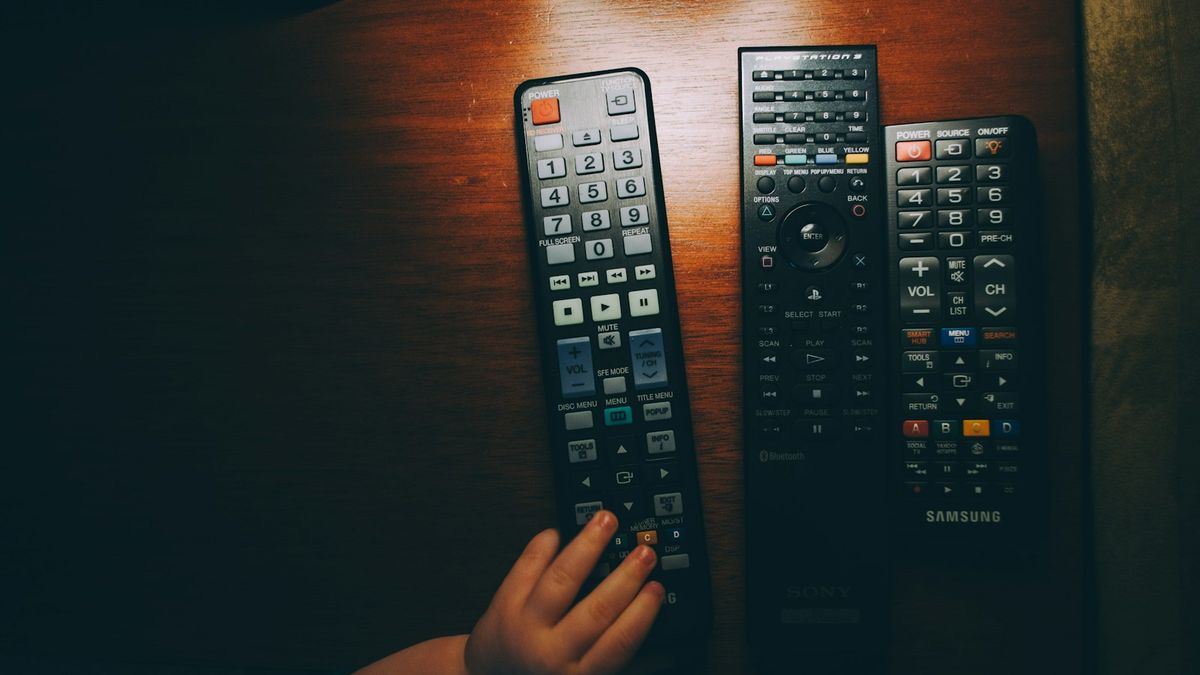
If you've lost your Roku remote, most people don't need to buy anything. The free Roku phone app pairs in about 30 seconds and does everything the physical remote does, plus a real keyboard for typing passwords. For the roughly one in five whose TV isn't on Wi-Fi, a $10 universal or $20 replacement works.
Table of contents(22)+
- 01Quick answer: which fix fits your situation
- 02Fix 1: The Roku mobile app (30 seconds, free)
- 03Browser-based Roku remote (no install)
- 04Fix 2: Find your lost Roku remote (yes, really)
- 05Roku Voice Remote Pro has a built-in finder
- 06Fix 3: Buy a universal remote ($10–$25, today)
- 07Fix 4: OEM Roku replacement remote ($15–$30)
- 08Where to buy
- 09Fix 5: Lost Roku TV remote, not connected to Wi-Fi
- 10What if the TV's physical power button is also broken?
- 11Does this guide work for Hisense Roku TV / TCL Roku TV / Onn Roku TV?
- 12How to stop losing your Roku remote
- 13FAQ
- 14How can I control my Roku without a remote?
- 15Can I get a free Roku remote replacement?
- 16What is the cheapest Roku remote replacement?
- 17Can I use my old Roku remote on a new Roku TV?
- 18How do I find my Roku remote that's lost in the house?
- 19Will any Roku remote work on a Hisense Roku TV?
- 20Does Roku ship free replacement remotes?
- 21How do I reset my Roku without a remote?
- 22Related guides
If you've lost your Roku remote, here's the honest answer: most people don't need to buy anything. The free Roku phone app pairs in 30 seconds, works without the original remote ever turning up, and does everything the physical remote does (plus a real keyboard, which is a small mercy when you're typing in a streaming password). For the minority whose TV isn't connected to Wi-Fi, you'll need a $10 universal or a $20 replacement — but that's still a fix-it-today problem, not a buy-a-new-TV problem.
Want the single fastest fix? Answer two or three questions in our free no-remote rescue router and it points you straight at the one that works for your Roku.
I've personally lost a Roku Streaming Stick remote twice (it's so small, of course you lose it) and a Roku TV remote once (fell behind the entertainment center for six months). Here's the order I work through every time.
Quick answer: which fix fits your situation
| Your situation | Best fix | Cost | Speed |
|---|---|---|---|
| You have a smartphone, Roku is on Wi-Fi | Roku mobile app (or our free Roku remote website) | Free | 30 sec |
| Roku TV is connected to Wi-Fi, no smartphone handy | Browser remote on a laptop | Free | 60 sec |
| You want a physical remote tonight | Universal remote from Walmart/Target | $10–$25 | Today |
| You want the OEM Roku remote back | Amazon Roku replacement | $15–$30 | 1–2 days |
| Roku is not on Wi-Fi (factory-fresh or after a reset) | Phone hotspot trick — see below | Free | 5 min |
| Roku TV has lost remote AND power button is broken | USB keyboard — see below | Free | 10 min |
Fix 1: The Roku mobile app (30 seconds, free)
If your Roku device is connected to the same Wi-Fi as your phone, the official Roku app turns your phone into a full remote — including voice search, keyboard typing, and headphone listening on Roku streaming sticks.
- Install the Roku app from the App Store (iOS) or Google Play (Android). It's free and pairs automatically.
- Make sure your phone is on the same Wi-Fi as your Roku.
- Open the app — your Roku appears in the “Devices” tab.
- Tap the Roku, then tap “Remote” to bring up the D-pad and buttons.
Bonus: the Roku app's "Private listening" feature streams TV audio to your phone's headphones — useful for late-night watching without waking anyone. The OEM remote requires a specific model to do this; the app does it on any Roku.
Browser-based Roku remote (no install)
If you don't want to install the Roku app — or your phone is on a different network — our free browser-based Roku remote works on any device with a web browser. Type your Roku TV's IP address (Settings → Network → About on the TV) and you're controlling it instantly. No install, no Roku account, no signup.
Works on Hisense Roku TVs, TCL Roku TVs, Onn Roku TVs, Insignia Roku TVs, Sharp Roku TVs, Element Roku TVs, and Roku Streaming Stick + Express + Ultra devices. Built on Roku's publicly-documented External Control Protocol — the same API the official Roku app uses.
Fix 2: Find your lost Roku remote (yes, really)
Before you buy anything, check these spots. The great majority of lost Roku remotes turn up here within 24 hours of starting to look:
- Couch cushions. Lift every cushion and feel down the sides. The Roku Streaming Stick remote is especially small.
- Behind/under the entertainment center. Roku remotes love to fall straight down the back. Use a flashlight.
- The kid's room. Always.
- Laundry basket / dirty laundry pile. Roku remotes are pocket-sized.
- Inside the couch. Not just the cushions — physically inside the couch frame, accessible via the bottom liner. Common with kids and pets.
- The car. If you moved or had the TV out for repair.
- Other rooms. Especially the bathroom and kitchen counter.
Roku Voice Remote Pro has a built-in finder
If you have the Roku Voice Remote Pro (model RCS01R, the rechargeable one with hands-free voice), it has a built-in "find my remote" beeper. Say "Hey Roku, find my remote" near the TV and the remote will beep loudly for 30 seconds. This was added in Roku OS 12.
The original white Roku remote and the standard voice remote (RC108, RC112) don't have this feature.
Fix 3: Buy a universal remote ($10–$25, today)
If you want a physical remote tonight, walk into Walmart, Target, Best Buy, or Home Depot in the morning. The five universal remotes below are widely stocked and all support Roku TVs out of the box.
| Universal remote | Price | Roku TV code |
|---|---|---|
| GE 6-in-1 Universal (33709) | $10 | 11756, 12434 |
| GE 4-in-1 Backlit (24927) | $12 | 11756 |
| One For All URC1925 | $20 | 2434 |
| Philips SRP9232D | $15 | 2434 |
| RCA RCR504BR | $8 | 11756 |
Caveat: Universal remotes are IR-only. They won't work with a Roku Streaming Stick or Roku Express (those use only Wi-Fi/Bluetooth), and they won't do voice search on any Roku model. For a Roku TV though, they work perfectly for everyday channel/volume/streaming-app navigation.
Fix 4: OEM Roku replacement remote ($15–$30)
If you want the original Roku remote back — with voice search, the headphone jack on Voice Remote Pro, and platform-native features — order an OEM replacement from Amazon or directly from Roku.
Match the model:
- Roku Streaming Stick / Stick+ / Stick 4K: Roku Standard IR Remote (RC68/RC108) — $15
- Roku Express / Express 4K: Roku Standard IR Remote (RC68) — $12
- Roku Ultra: Roku Voice Remote (RC112) — $25
- Roku Premiere/Premiere+: Roku Enhanced Remote (RC85/RC108) — $18
- Most Roku TVs (Hisense, TCL, Onn, Insignia): Roku Standard TV Remote (RC58/RC80) — $20
- Roku TV with voice (Hisense U-series, TCL 5+/6/Q-series): Roku Voice Remote (RC112) — $25
- Universal upgrade: Roku Voice Remote Pro (RCS01R) — $30, works with any Roku from 2017+, includes hands-free voice, headphone jack, programmable shortcut buttons, and the find-my-remote beeper.
The Voice Remote Pro is the only Roku remote with a built-in lost-remote finder — if you're prone to losing remotes, it pays back the extra $5 within a year.
Where to buy
- Amazon (fastest, 1-day in most US cities, but watch for clones — only buy from "Roku Inc." or "Amazon Sold By Amazon")
- Roku Direct at roku.com/products/remotes (guaranteed authentic, 5–7 days)
- Walmart Online ($2–$5 cheaper than Amazon often)
- Best Buy (in-store pickup same day in major US metros)
- eBay (cheapest if you check seller reviews)
Fix 5: Lost Roku TV remote, not connected to Wi-Fi
The Roku phone app requires the TV to be on Wi-Fi. If your Roku TV is factory-fresh, just been reset, or for any reason isn't connected to a network, you have three workarounds:
- Phone hotspot trick. Turn on your phone's mobile hotspot. On the Roku TV, use the physical power button to power on and then use a USB keyboard (any wired USB keyboard, plug into the rear USB port) to navigate to Settings → Network → Set up connection → Wireless. Pick your phone's hotspot, type the password with the keyboard. Now your Roku is on a network the phone app can reach.
- Roku-bundled mobile hotspot mode. Some 2023+ Roku TVs let you create a temporary Roku-hosted hotspot for setup. If your TV's setup screen offers "Use mobile phone to set up", pick that option and follow the on-screen QR code.
- Buy a $10 universal remote. IR doesn't need Wi-Fi at all. This is honestly the fastest path if you don't have a USB keyboard around.
What if the TV's physical power button is also broken?
This is uncommon but happens. Plug a wired USB keyboard into the rear USB port — on most Roku TVs (Hisense, TCL, Onn) the keyboard can power on the TV by pressing any key, then arrow keys + Enter navigate the menu. If the USB keyboard doesn't wake the TV, you'll need an authorized service center visit — the power board has likely failed.
Does this guide work for Hisense Roku TV / TCL Roku TV / Onn Roku TV?
Yes — every fix above works identically on the major Roku TV brands. The Roku platform is the same OS, the same protocol, the same remote pairing model. Only the TV chassis is different.
- Hisense Roku TV (R-series, A-series): All 5 fixes work. Roku TV remote is the same RC58/RC80. See our Hisense Roku TV remote troubleshooting guide if the issue is the remote stopped working rather than being lost.
- TCL Roku TV (3-series, 4-series, 5-series, 6-series, Q-series): All 5 fixes work. Voice models (5-series+) use RC112.
- Onn Roku TV (Walmart house brand): All 5 fixes work. The OEM Onn replacement remote is $12 at Walmart directly.
- Insignia Roku TV (Best Buy house brand): All 5 fixes work. OEM is $18 from Best Buy.
- Sharp Roku TV: All 5 fixes work. Sharp Roku TVs share the RC58 remote with Hisense.
- Element Roku TV: All 5 fixes work. RC58 remote.
How to stop losing your Roku remote
- AirTag on the back of the remote. $30 one-time. Tape it on with double-sided foam tape. "Find My" beeps it. Works for any Roku remote, even the original white one without the built-in finder.
- Roku Voice Remote Pro. $30 OEM replacement that has the find-my-remote beeper built in. If you're already buying a replacement, this is the one.
- Silicone remote holder. $6 wall-mounted holder that sticks the remote to the side of your TV stand. Search Amazon for "TV remote silicone wall holder."
- Just use the Roku app on your phone. Once it's set up, you might find you never need the physical remote again.
FAQ
How can I control my Roku without a remote?
Three free options: install the official Roku app on iPhone or Android, use a browser-based Roku remote on any computer, or plug a wired USB keyboard into the Roku TV's rear USB port. All three work without buying anything.
Can I get a free Roku remote replacement?
The Roku app on your phone is free and does everything the physical remote does. If you want a physical replacement at no cost: if your Roku is under 1 year old, Roku will replace the remote under warranty — contact support.roku.com. Outside warranty, you can sometimes get a free replacement by mentioning a defect (e.g., "voice button stopped working before I lost the remote"). No guarantees, but worth one call.
What is the cheapest Roku remote replacement?
The Roku app is free. The cheapest physical replacement is the $8 RCA RCR504BR universal at Walmart, which controls Roku TVs (not stick devices). The cheapest OEM Roku remote is the $12 standard IR remote on Amazon.
Can I use my old Roku remote on a new Roku TV?
Yes for IR remotes (RC68, RC108, RC58, RC80) — they work on any Roku device. Voice remotes (RC112, RCS01R) need to be paired to the new Roku, but the pairing dance takes 10 seconds. See how to pair a Roku remote for the steps.
How do I find my Roku remote that's lost in the house?
If you have a Voice Remote Pro, say "Hey Roku, find my remote" near the TV. If you have any other Roku remote, check (in order): couch cushions, behind the entertainment center, the kid's room, the laundry basket, inside the couch frame, the car. The great majority of lost remotes are found in those six places within 24 hours.
Will any Roku remote work on a Hisense Roku TV?
Any standard IR Roku remote works on a Hisense Roku TV. Voice remotes need to be model-compatible — the Roku Voice Remote (RC112) works on Hisense Roku TVs from 2018+; Roku Voice Remote Pro (RCS01R) works on every Roku-powered TV from 2017+.
Does Roku ship free replacement remotes?
Roku does not routinely ship free remotes outside warranty. They will replace defective remotes under the 1-year manufacturer warranty. Outside warranty, replacements are $15–$30 from Roku Direct.
How do I reset my Roku without a remote?
Roku TVs: hold the recessed reset button on the back of the TV for 20 seconds — this triggers a Roku factory reset. Roku streaming devices (Stick, Express, Ultra): hold the reset button (a recessed pinhole on the back) for 20 seconds with the device powered on. After reset, use the Roku phone app to complete setup.